
Image Types
For computers to work with image data, the image data needs to be _encoded_ in some way so that the computer can understand it. There are many approaches to encoding visual data, but most of them fall into two categories:
- raster images, where the image is encoded as a grid of dots
- vector images, where the image is encoded as a collection of objects
Raster Images
Raster images are composed of lots of dots: a rectangular grid of points, each point encoded with color information. If we zoom way in on a raster image, we'll see that it's made up of this grid of dots. In the following image, we can see from the zoomed in portion of the image that it's made up of lots of tiny dots of color:
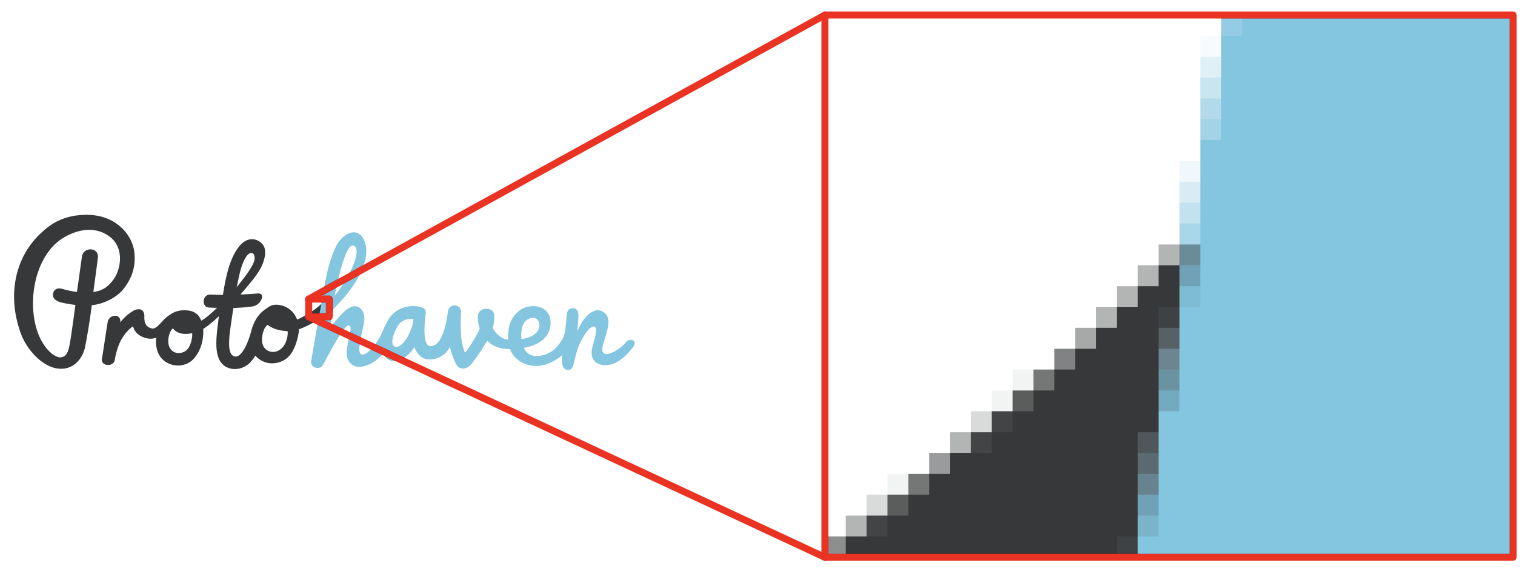
These dots are often referred to as pixels.
The number of pixels we have in an image partially determines its quality. The more dots in the image, the better the image will look (to a degree) and the more we'll be able to adapt it for a variety of uses: we can, for example, scale up an image with lots of pixels and still have it look reasonable for most applications.
Raster images are useful for rich graphics: photographs, non-technical line art, etc. Raster images are particularly good for photographic material.
Raster images are a poor choice for transmitting text (particularly if scaled), or vector art like line drawings, schematics, etc.
Common file formats like .jpeg, .gif, and .png are all image raster data.
Vector Images
Vector images are built from logical instructions. In a raster image, a line might be encoded as a string of dots on the grid. In a vector image, a line is encoded as a logical connection between two points. A nice property of vector images is that they scale very well: they can be re-rendered with precision at any size. In the following image, we can see in the zoomed in portion of the image that there is no loss in precision or quality of the image:
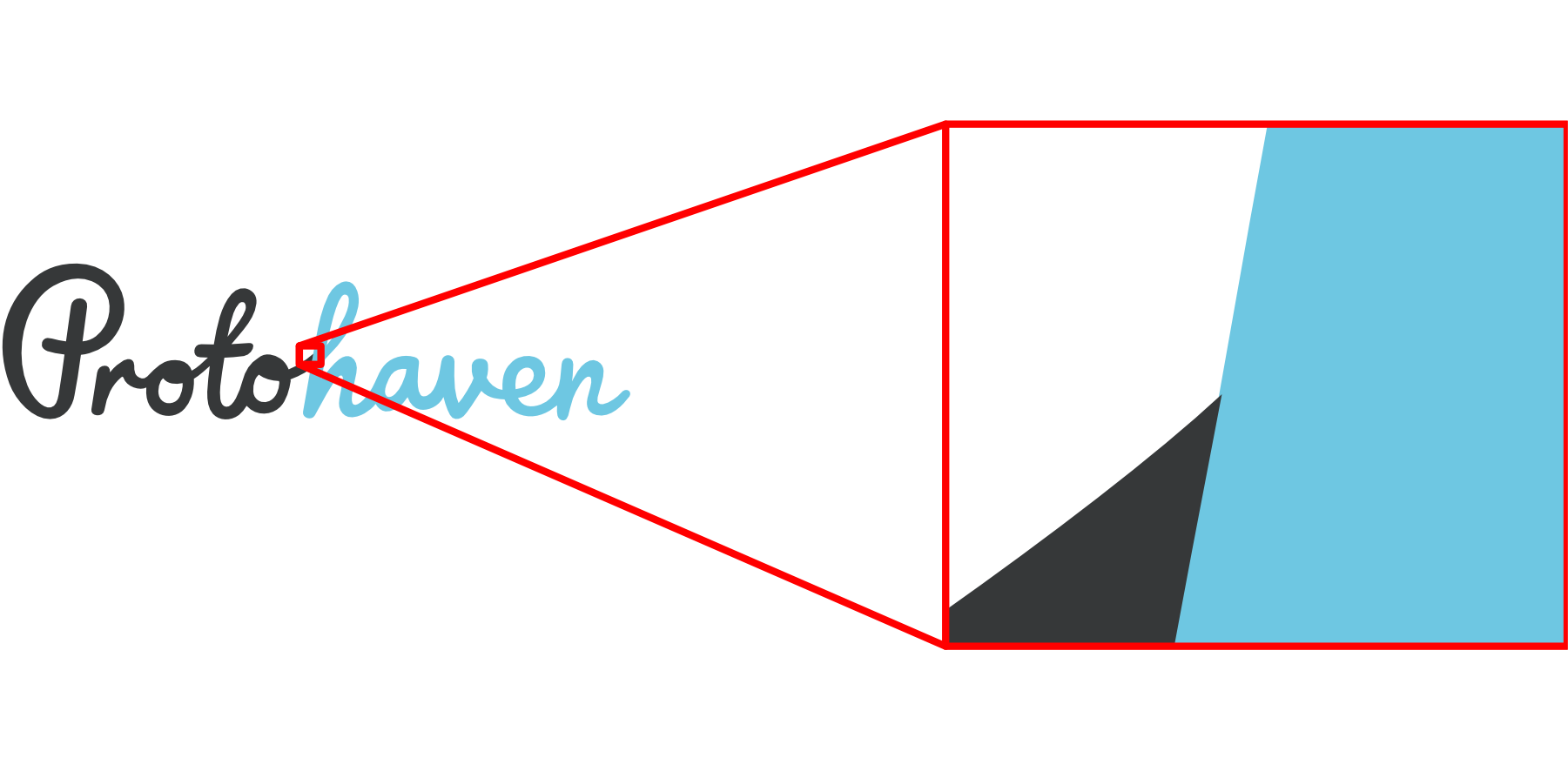
Vector graphics are made of objects.
The objects in a vector graphics file logically describe the visual contents of the file. For example, the file my specify that at a particular coordinate on the canvas there is a square, filled in with a particular color. The information is not encoded in dots, like a raster image: the image contents are described instead by a collection of objects that describe an image.
Vector graphics are useful for any image that requires precision: vector formats are good choices for infographics, technical line drawings, schematics, and similar art.
Vector graphics are also useful for any art that has a text component: labels, legends, titles, etc. With a vector graphic, the text is also stored as vectors (the glyphs of the font, or objects derived from it), and the image can be scaled without any loss of quality for the text or the art.
Common file formats like .ai, .dxf, and .svg are all image vector data.